Five established global alternatives to TradingView are ProRealTime, cTrader, MetaTrader 5, GoCharting, and Koyfin, and the right one depends on what you need. Choose ProRealTime for market scanning and charting across several monitors, cTrader for forex trading with bots and a native Mac app, or MetaTrader 5 to run bots and test strategies against past prices. Choose GoCharting to see buying and selling volume at each price in your browser, or Koyfin to research stocks and funds. TradingView itself combines browser and desktop charting (Windows, macOS, and Linux) with trading through connected brokers and community indicators written in its Pine Script language.
Compare five TradingView alternatives by trading goal
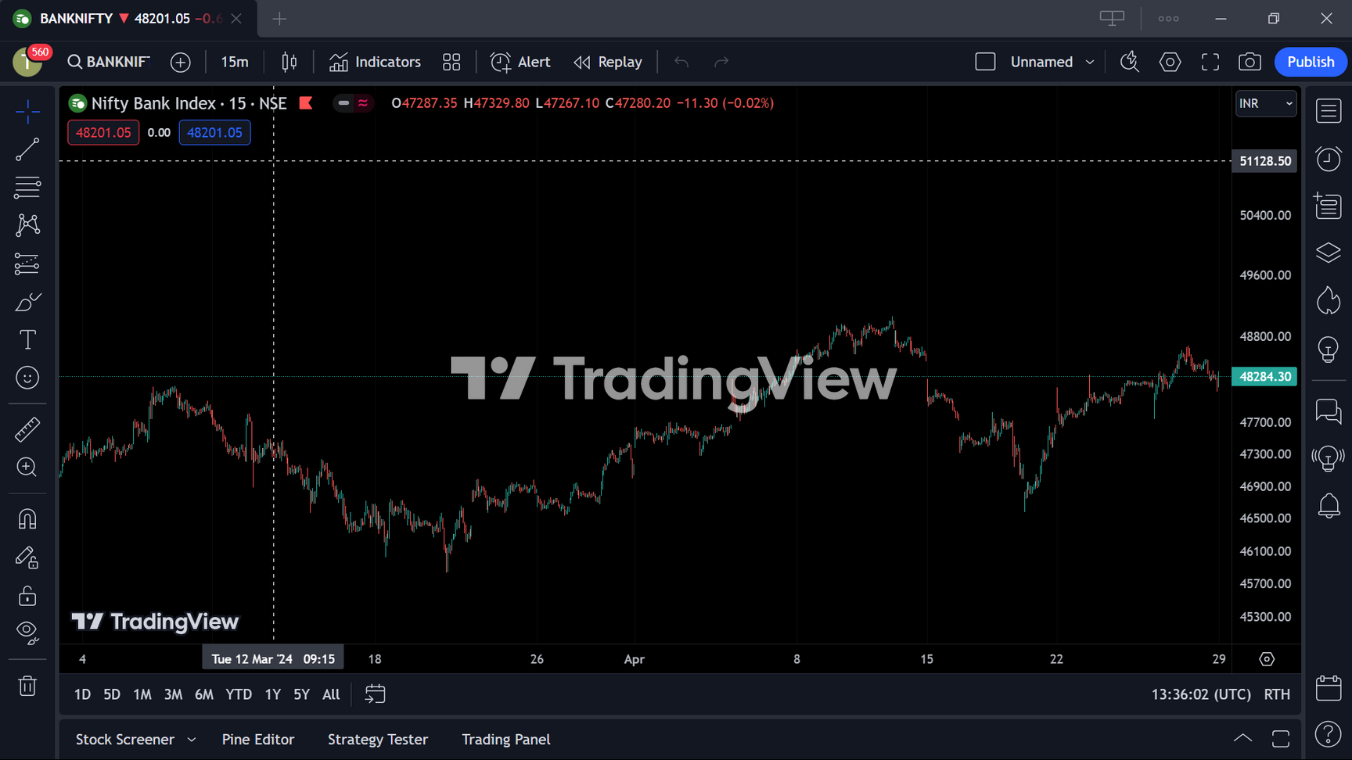
No single platform is likely to replace every TradingView feature at once, so choosing the right alternative depends on which limit affects your trading routine—built-in automated execution, footprint order flow, subscription tiers, or deep equity and economic research. The screenshot below shows a TradingView chart window with a dark price chart and drawing tools on the left, followed by a summary of five international alternatives.
1. ProRealTime
- Best Replacement Role: Multi-monitor desktop charting & scanning
- Live Broker Execution: Live trading via IG, Interactive Brokers, or Saxo Bank
- Order Flow & Coding: ProScreener real-time scanning & ProOrder automated trading
- Pricing Model: Free ProRealTime Web & free end-of-day Complete; check partner-broker real-time data terms
2. cTrader
- Best Replacement Role: Foreign exchange (FX) and Contract for Difference (CFD) execution, Depth of Market (DOM, the live order book), & native macOS
- Live Broker Execution: Direct via supporting regulated cTrader brokers
- Order Flow & Coding: 3 DOM views (Standard, Price, and Volume-Weighted Average Price, or VWAP), C# & Python cBots + free Cloud (up to 10 live cloud instances; rules vary by broker)
- Pricing Model: Accessed via broker account (check broker platform & data fees)
3. MetaTrader 5 (MT5)
- Best Replacement Role: Built-in automated trading & broad broker reach
- Live Broker Execution: Direct via many international brokers (verify regulation per broker)
- Order Flow & Coding: MQL5 (MetaQuotes’ scripting language) Expert Advisors (EAs, automated trading bots), multi-threaded Strategy Tester, Python integration package
- Pricing Model: Accessed via broker account (check broker platform & data fees)
4. GoCharting
- Best Replacement Role: Browser-based order flow & footprint charts (showing buy vs sell volume at each price)
- Live Broker Execution: Connections to listed brokers
- Order Flow & Coding: Cluster/Footprint charts, Time Price Opportunity (TPO) Market Profile (time spent at each price), Volume Profile (volume traded at each price), Cumulative Delta (net aggressive buying minus selling), DOM Trading
- Pricing Model: Check vendor pricing tiers and market-data terms
5. Koyfin
- Best Replacement Role: Equity fundamentals, exchange-traded funds (ETFs), & macro dashboards
- Live Broker Execution: Research, screening & portfolio analytics workspace (its plans list no order execution, so a separate broker is used for orders)
- Order Flow & Coding: 10-year financials & earnings transcripts on paid plans, screeners, custom formulas
- Pricing Model: Free ($0/month), Plus ($39/month), Premium ($79/month), and Advisor tiers (as of November 2026)
Why traders look for a TradingView alternative
Traders rarely leave TradingView over chart appearance; they look for alternatives when plan limits, automated execution architecture, or specialized order-flow and company research needs become the main bottleneck. Pinpointing that exact gap can help avoid switching to a more complex platform than you need.
- Webhook-based live automation: For automated execution, TradingView Pine Script v6 alerts can send webhooks (automated web messages via HTTP POST requests to a web address you provide), which must be routed through external bridges or Application Programming Interfaces (APIs).
- Subscription plan limits vs separate exchange data fees: Multi-chart layouts, higher active alert quotas, and expanded historical bar depth scale across TradingView’s paid tiers (Essential, Plus, Premium, Ultimate). Separately from software plans, real-time data from many exchanges is added as separate market-data subscriptions on paid plans.
- Dedicated order-flow and footprint charting: Traders who center decisions on tick-level bid/ask cluster bars, TPO Market Profile, or futures exchange order books often prefer platforms built specifically around order-flow studies.
- Multi-year fundamental and macro screening: Equity investors analyzing 10-year financial statements, valuation multiples, ETF holdings, and earnings transcripts need fundamental research terminals rather than price-chart tools alone.
If you want to evaluate connected-broker chart trading on TradingView itself before switching, review the TradingView brokers comparison and the MetaTrader 5 vs TradingView breakdown.
1. ProRealTime: multi-monitor charting and scanning
ProRealTime offers charting and trading software across ProRealTime Web, ProRealTime Complete (free with end-of-day data), and ProRealTime Mobile, alongside ProScreener real-time market scanning, multi-monitor layouts (up to 20 simultaneous charts), and automated trading via ProOrder.
- Where ProRealTime beats TradingView: Real-time market scanning via ProScreener, free ProRealTime Web and end-of-day Complete access, up to 20 simultaneous charts across monitors, and ProOrder automated trading without external webhook bridges.
- Key trade-offs: Live trading integrates with IG, Interactive Brokers, and Saxo Bank; check current real-time market-data fees and partner-broker account terms before upgrading beyond free web or end-of-day desktop access.
2. cTrader: broker platform for DOM, native macOS, and C#/Python bots
Spotware Systems Ltd’s cTrader provides FX and CFD traders with a Windows desktop app and a native macOS app (Apple M1 or Intel Core i5, 8 GB memory, macOS 12.0 Monterey+), Web and Mobile apps, three Depth of Market views, server-side trade protections, and built-in C# and Python automated bots (cBots).
- Where cTrader beats TradingView: cTrader bots send orders through a supporting broker without a separate webhook service; server-side Trailing Stop, Break-Even stop loss, and up to five-level Advanced Take Profit that remain active offline per Spotware’s documentation; free cTrader Cloud execution for cBots with up to 10 concurrent 24/7 cloud instances on live accounts (1 demo instance up to 7 days; rules can vary by broker; external packages supported in cloud when conditions are met, or locally in cTrader Windows/Mac).
- Key trade-offs: Check that a regulated broker in your region offers cTrader and that your required asset classes and indicators are supported, as cTrader centers on FX and CFD execution rather than fundamental equity research. Compare both execution architectures in the MetaTrader 5 vs cTrader technical guide.
3. MetaTrader 5 (MT5) for trading bots and testing strategies on past prices
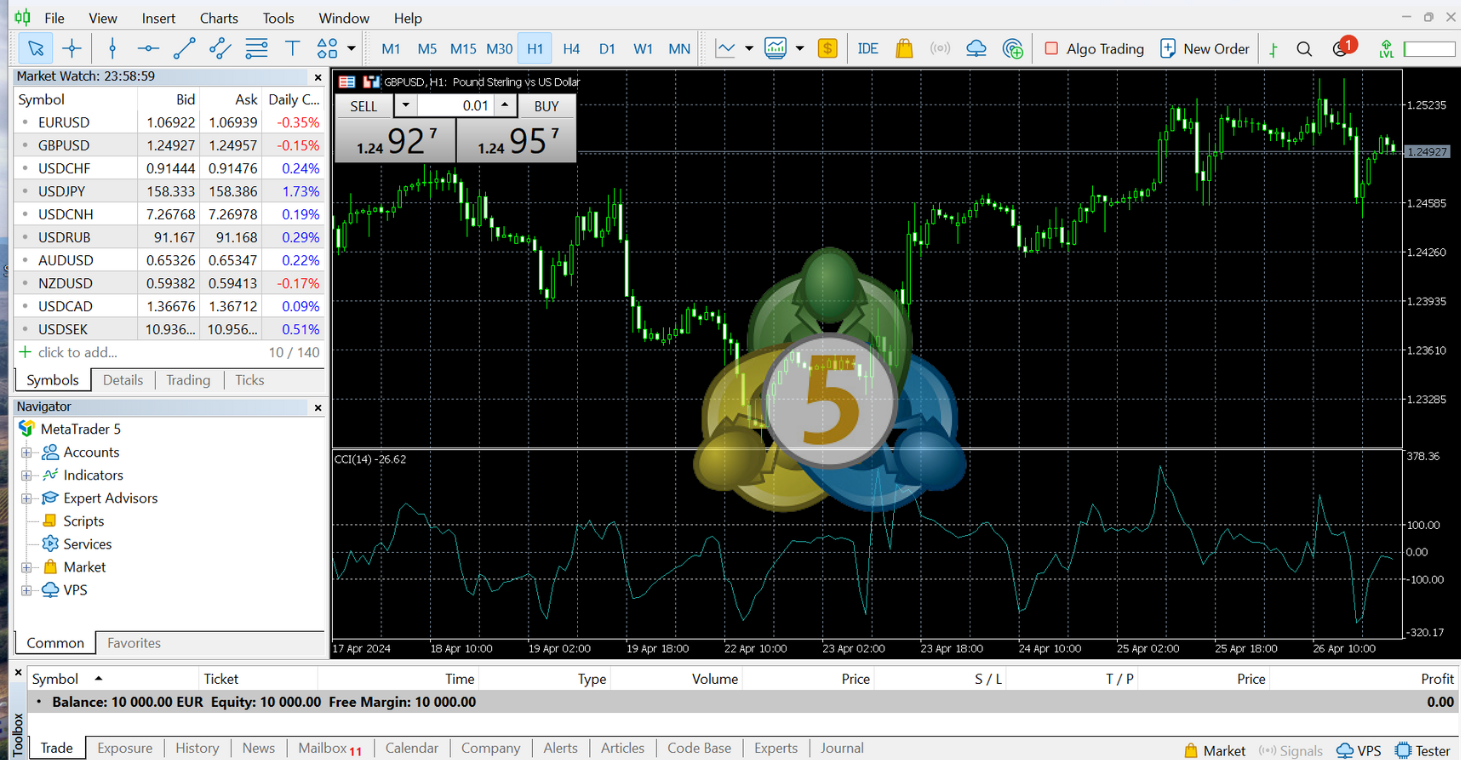
MetaTrader 5 is MetaQuotes Ltd’s multi-asset platform for Forex, stocks, and futures, offering MQL5 Expert Advisors, a multi-threaded multi-currency Strategy Tester with MQL5 Cloud Network support, Depth of Market, 21 timeframes, 38 built-in indicators, and 44 analytical objects (check your broker’s fee schedule and verify each broker’s license directly in its regulator’s register). The screenshot below shows the MetaTrader 5 desktop platform with market watch, navigator, and a green price chart on a black background.
- Where MT5 beats TradingView: Broker-hosted multi-asset execution with an algorithmic marketplace of over 2,500 ready-made applications, self-contained MQL5 execution (locally or via Virtual Hosting, MetaQuotes’ rented Virtual Private Server or VPS service), and an official Python integration package bridged to a running terminal.
- Key trade-offs: Desktop macOS installation uses MetaQuotes’ automated Wine (a Windows compatibility layer) installer, with Linux documentation also available, and built-in trailing stops execute in the client terminal rather than on the server. Review regulated providers in the MetaTrader 5 brokers comparison and broader desktop choices in the MetaTrader 4 alternatives guide.
4. GoCharting: browser-based order flow, footprint, and TPO charting
GoCharting serves futures, crypto, and intraday traders who want TradingView-style browser access paired with specialized order-flow studies—including Footprint (cluster) charts, Time Price Opportunity (TPO) Market Profile, Volume Profile, Delta and Cumulative Delta Bars, and DOM Trading.
- Where GoCharting beats TradingView: Purpose-built cluster/footprint bar displays (showing bid vs ask volume and delta per price level) and TPO Market Profile charts directly in the browser without installing dedicated desktop order-flow suites such as Sierra Chart (which offers exchange data via its Denali Exchange Data Feed).
- Key trade-offs: Check whether the indicators you rely on are available in the platform, and check the market-data terms for the exchanges you trade. Learn how order-flow metrics behave on exchange feeds versus over-the-counter (OTC) CFD ticks in the Cumulative Volume Delta (CVD) guide and order flow trading guide.
5. Koyfin: equity fundamentals, ETFs, and macro research
Koyfin focuses on financial research, market and macro dashboards, and portfolio analytics rather than candlestick-only charting, pairing dashboards with multi-year financial statements, estimates, ETF holdings, stock and ETF screeners, and press releases, filings, and transcripts.
- Where Koyfin beats TradingView: Deeper fundamental screening, valuation comparisons against peers, yield-curve and macro dashboards, and portfolio analytics—delivering structured equity-analysis layouts on monthly subscription plans.
- Key trade-offs: Koyfin is a financial research and portfolio-analytics workspace, and its plans list no brokerage order execution. As of November 2026, Koyfin lists a Free tier ($0/month) with 2-year financials, 1-year estimates, and market and macro dashboards; Plus ($39/month) adding 10-year financials and estimates, ETF holdings, and transcripts; Premium ($79/month) adding unlimited custom formulas; and Advisor tiers above (verify current pricing directly on Koyfin’s pricing page). Estimate trade sizing from your balance, risk percentage, and stop distance before entering orders with the position size calculator.
How to choose the right TradingView alternative
Many active traders do not abandon TradingView entirely—they keep its free tier for quick multi-asset watchlists while adding one specialized execution or research platform that solves their main bottleneck. The table below matches each main trading goal to one of the five alternatives and lists what to check before switching.
| Main Goal | Match | Check Before Switching |
|---|---|---|
| ProScreener scanning & ProOrder automation | ProRealTime | Partner terms (IG, Interactive Brokers, Saxo) & data fees |
| macOS FX/CFDs, server stops, C#/Python | cTrader | Regulated broker cTrader availability |
| MQL5 EAs & multi-threaded testing | MetaTrader 5 | Check the broker license. For 24/7 bots and trailing stops, keep MT5 running locally or on a rented server. |
| Browser Footprint, TPO & order flow | GoCharting | Pricing tier & market-data terms |
| Equity fundamentals, ETFs & macro | Koyfin | Pair with a separate execution broker |
Sources: TradingView (pricing, Pine Script v6, webhooks, scripts, chart trading, and desktop documentation); ProRealTime (platform, mobile, and ProOrder documentation); Spotware Systems Ltd (cTrader protections, Depth of Market, Algo, Cloud, and Mac documentation); MetaQuotes Ltd (MetaTrader 5 platform, technical analysis, Strategy Tester, Virtual Hosting, macOS/Linux installation, and MQL5 Python documentation); GoCharting (order-flow and platform documentation); Koyfin (pricing as of November 2026, fundamentals, and macro dashboard documentation); and Sierra Chart (Denali Exchange Data Feed documentation).
Frequently asked questions about TradingView alternatives
What is the best free alternative to TradingView for live trading?
For live forex and contract-for-difference (CFD) trading, compare cTrader and MetaTrader 5 and check whether your broker charges platform or market-data fees. Both are usually accessed through a broker account and support placing orders directly. For web charting or fundamental research without a broker account, ProRealTime Web, ProRealTime Complete (free with end-of-day data), and Koyfin ($0/month Free tier as of November 2026) offer free entry access with feature limits.
Which TradingView alternative runs automated trading without webhooks?
MetaTrader 5 (MQL5 Expert Advisors), cTrader (C# and Python cBots with free cTrader Cloud hosting for up to 10 concurrent 24/7 cloud instances on live accounts; rules can vary by broker), and ProRealTime (ProOrder automated trading) all execute automated strategies without external TradingView webhook bridges.
What is the best browser-based TradingView alternative for footprint charts?
GoCharting is a purpose-built browser alternative for Footprint (cluster) charts, Time Price Opportunity (TPO) Market Profile, and Cumulative Volume Delta without installing dedicated desktop software. Active futures traders who prefer dedicated desktop software with exchange feeds such as Denali also consider platforms such as Sierra Chart.
Can Koyfin replace TradingView for live order execution?
Koyfin is designed for financial research, stock and exchange-traded fund (ETF) screening, macro dashboards, and portfolio analytics, and its plans list no live order execution, so investors typically pair it with a separate regulated brokerage platform (or TradingView with a connected broker) to place orders.
Is it worth switching from TradingView to MetaTrader 5 for manual charting?
Usually not for manual browser charting alone, where TradingView combines browser and desktop apps (Windows, macOS, and Linux) with its community script library and connected-broker chart trading. Switching to MetaTrader 5 makes more sense when you need MQL5 Expert Advisors, multi-threaded multi-currency Strategy Tester backtesting, or a broker that offers MetaTrader 5 rather than TradingView.